1,000 datasets, and a lot to build on
LeLab is the graphical user interface (GUI) for LeRobot. It brings robot setup, demonstration recording, model training and testing into a guided interface, helping newcomers get started with robot learning.
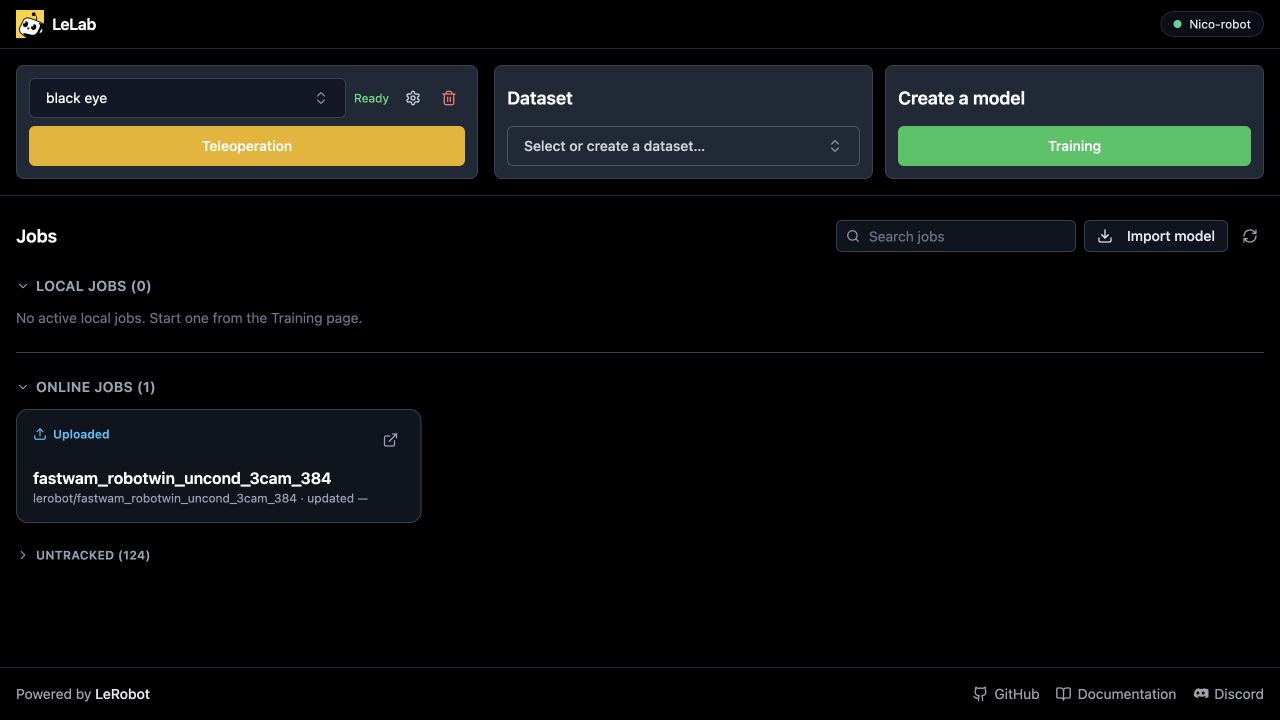
LeLab’s home page brings your robot, datasets and training jobs together.
1,000 datasets have been recorded with LeLab. LeLab started with a simple goal: making robot learning easier to get into. This is a milestone worth celebrating together 🤗.
Behind those datasets are people who set up a robot, chose a task and recorded demonstrations. Each one represents practice, experiments and lessons learned along the way. This milestone is a chance to look back at how LeLab has evolved, and to share where we want to take it next.
Our ambition is straightforward: make the first training run accessible, then help a project grow while keeping its data and models connected.
Here is how the workflow has evolved, and where we want to take it next.
| Start here | What you will find |
|---|---|
| Try LeLab | The starting point for installing and opening the tool |
| Discover LeRobot | The robot learning tools behind LeLab |
A simpler way into LeRobot
LeRobot provides tools for recording demonstrations, training models and running them on robots. LeLab brings those steps into a guided web interface, helping newcomers work out what to install, how to configure their hardware and when they are ready to record.
With uv installed, paste this command into your terminal to install and launch LeLab:
uv tool install git+https://github.com/huggingface/leLab.git && lelab
From your browser, prepare your robot and cameras, check the setup through teleoperation, then record demonstrations for a task. Train locally or in the supported cloud environment, and choose a saved model checkpoint to test on your robot.
- Calibrate Prepare your robot.
- Teleoperate Check your robot setup.
- Record Save episodes for a specific task.
- Train Learn from your demonstrations.
- Test Try a checkpoint on the robot.
You can also replay recorded episodes and upload datasets to the Hugging Face Hub. Each step introduces the choices you need for the next one, so you can get from a connected robot to your first model without having to learn the whole workflow at once.
How the community has improved LeLab
Community contributions have made LeLab easier to get started with and more dependable when working with a real robot:
- Clearer onboarding: guided setup and live camera previews help users prepare their robot and record demonstrations. Hardware warnings also explain when an NVIDIA GPU is present but PyTorch cannot use CUDA. (Onboarding, camera previews, hardware feedback)
- More reliable sessions: training setup checks catch missing dependencies earlier, error messages make inference failures easier to understand, and cleaner shutdowns release cameras and robot connections. (Training setup, inference errors, device cleanup, shutdown)
- Better Windows support: camera discovery fixes help users find their connected webcams. (Windows camera discovery)
- More model options: support for GR00T N1.7 expands the models users can train and test through LeLab. (Model support)
Growing with your project
LeLab is designed primarily for beginners today. We want to add capabilities gradually while keeping that guided starting point easy to use. An optional advanced mode for data curation would give teams more control as their projects grow.
The aim is a complete workflow for improving robot models: collect demonstrations, review their quality, combine selected episodes for training, compare models and test them on the robot. Results from those tests should guide the next round of collection. Keeping each model connected to its data and training settings would help a team understand what changed between runs and decide what to try next.
Our direction
- Collect Add demonstrations from new situations.
- Validate Review episodes and filter unusable data.
- Combine Build the dataset for the next run.
- Train Keep data and training choices connected.
- Compare Choose which model to try next.
- Test Let real-world results guide new collection.
These two design concepts explore the curation part of that workflow. They use illustrative data and generated camera scenes based on a real SO-101 reference. They illustrate a proposed direction, not released features.
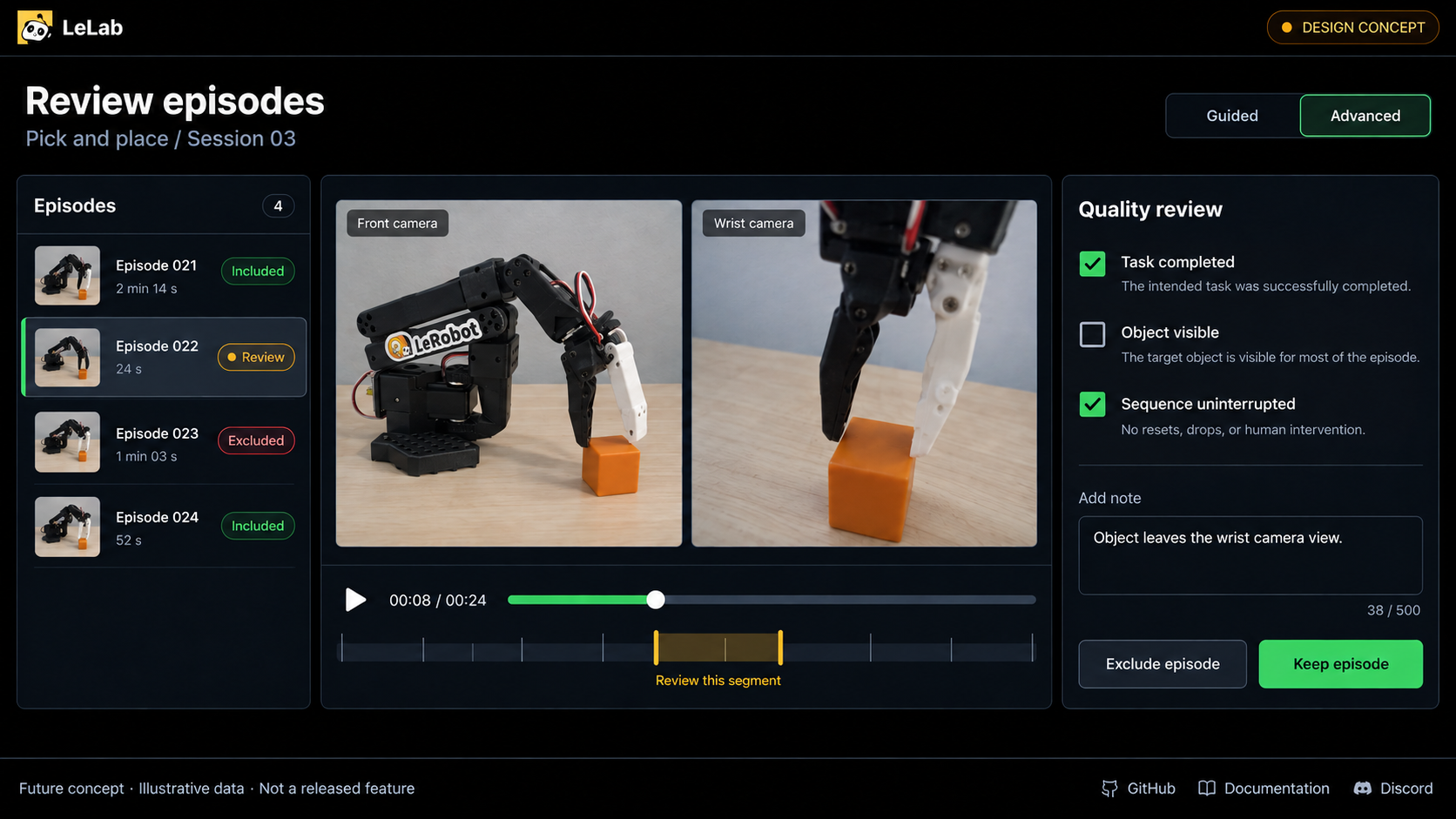
Review camera recordings and quality notes to decide which episodes to keep.
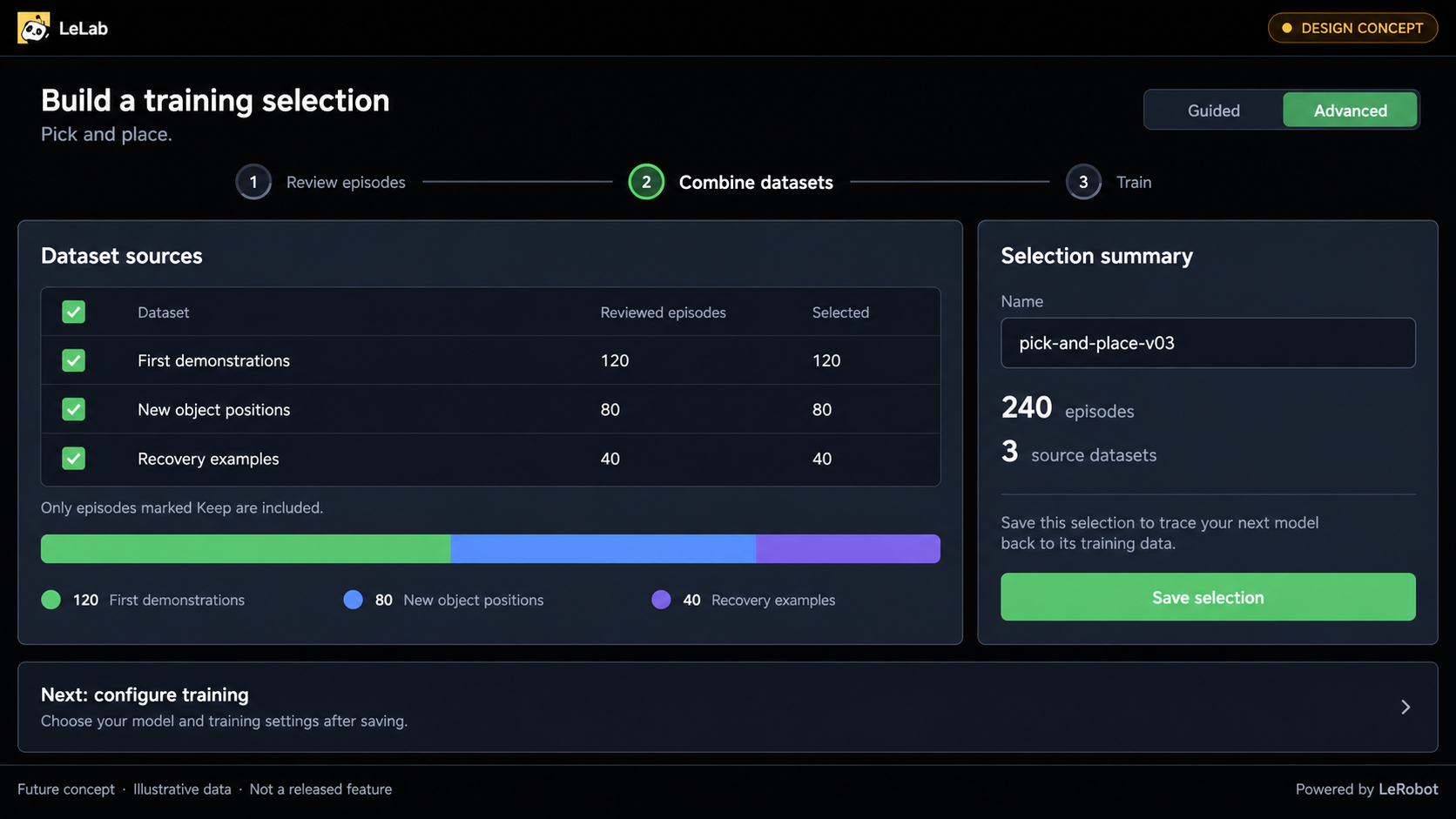
Combine reviewed episodes from several datasets into a traceable training selection.
We want LeLab to support substantial robotics projects while remaining a welcoming place to start. Newcomers should still have a clear path to their first model, with deeper controls available when they need them.
Built together: thank you for the first 1,000 datasets
LeLab grows through people trying it on their own hardware, reporting where they get stuck, testing fixes and contributing code. Thank you to everyone who has helped, and to everyone who recorded the first 1,000 datasets. Your experiments are shaping what we build next.
A special thank you to Chandran, zookiart, Ben and Quentin for their contributions, and to everyone helping improve LeLab through code, testing and feedback.
To join in, try LeLab, share your experience in an issue or contribute a pull request.
LeLab began with Team LeLab at the 2025 LeRobot Worldwide Hackathon and is now maintained by the LeRobot team at Hugging Face, with contributions from the community.